LYNDSEY BAKAL
Cabin Connect
How I Learned to Prototype my Work

The Prompt
"Design an AI feature that helps airline passengers discover and connect with others who share interests, destinations, or hobbies."
When considering how to approach this prompt, I knew it would be practical to use the plane's exsisting personal screen system on the back of most modern commercial airplane's seats. But, I also had to consider passenger comfort and privacy, since people are often not looking to socialize during flights. This led me to focus on creating an experience that is fully optional, easy to control, and seamlessly integrated into something passengers already use, making connection feel natural rather than forced.
Though, I had also nevery prototyped a solution of mine before, and this new challenge taught me to not strive for perfection right away, and I focused on quickly visualizing the experience and testing how it might feel from a passenger’s perspective. This pushed me to think more intentionally about each interaction, not just how it works, but how it feels in a confined, shared space like an airplane cabin.


Paper Prototyping
Round 1
For my first and second round of prototyping, I decided the easiest way to get my ideas for how I would organize my system down would be on paper.
I knew I wanted to have two aspects of the design. The first being an AI powered way of connecting passengers that had similar interests or intentions in a totally voluntary way. So, I decided a matching system where the user would answer a few questions about themselves before getting paired with others would be the simplest way of doing this. I also added a feature where the user would input their plane ticket number and it would autofill basic information like name and seat number to ensure the safety of all users.
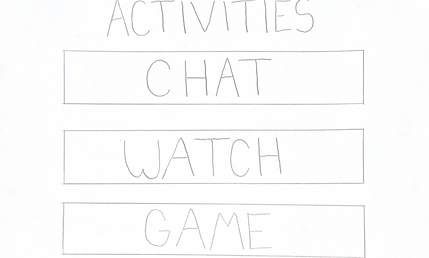
The second aspect of the design was the actual activities users could do together once they were paired. I decided chatting with each other, watching movies, and playing games together would be a meaningful way for them to connect.
Paper Prototyping
Round 2
This next round of paper prototyping was also on paper. I still wanted the flexbility of using paper to not only get my ideas down quickly, but also to not be help back by using a program I was not familiar enough with yet to solidify my ideas.
Since the first round of prototyping, I did a few quick rounds of user testing to ensure that the features I chose were intuitive and simple yet effective for my goals of the application. The testers found that they were useful, though a few design tweaks were needed here and there.
In this round, I also incorporated how users would be able to connect to the program using their mobile devices. This would make aspects like typing or controlling specific features easier.
I took this into my next round of prototyping, and focused more on how I wanted to design the aesthetics of the application during this round before trying my hand at Figma.


Learning Figma
To see my work in Figma, please click here.
Prototyping for Cabin Connect was the first time I had ever used Figma. But I learned a lot.
We had a couple weeks and a few Figma workshops to introduce us to the platform. I noted down which features I thought would be useful and began bringing my paper prototype into Figma.
For the first week, I started with learning how to use the platform graphically. I spent awhile learning Figma's tools and systems so I could keep my layouts consistent and easy to adjust. Once I felt more comfortable with the basics, I moved on to creating reusable elements and organizing my frames in a way that made the prototype easier to navigate and iterate on.
The second week was getting my prototype to work. By this I mean, I wanted to have a clickable prototype to bring to my classmates to make sure users wouldn't be getting stuck anywhere and all actions and options made sense to the user. This took much longer than just learning the tools, but was an extremely rewarding process to see my design come to life.
By the end of this stage, and a few more quick user testing workshops in class, I had a functioning prototype that could easily show my design and how to use it.
Takeaways
This project built the foundation of all of my current prototyping skills. I have learned a lot since I worked on Cabin Connect, but it was my first real opportunity to think critically about how interactions, layout, and usability come together in a cohesive product experience. Through that process, I developed a strong understanding of translating low-fidelity ideas into structured, interactive prototypes, while maintaining consistency and clarity throughout. It pushed me to become more intentional with my design decisions, more efficient with my use of tools like Figma, and more thoughtful about the user journey as a whole.